Subcontractor Compliance Tracker
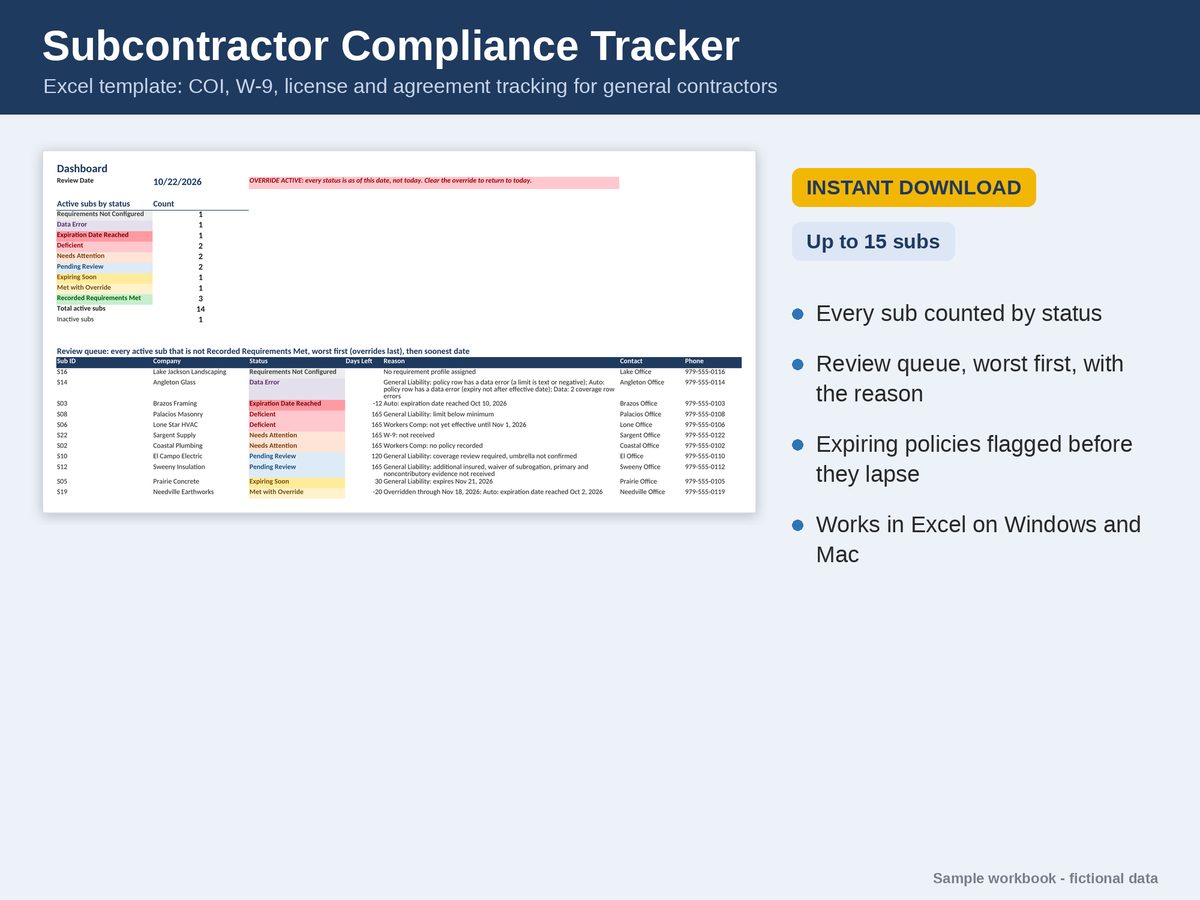
For general contractors who chase insurance certificates by email. Set your requirements once, type in each certificate, W-9 and license as it comes in, and the workbook tells you which subs are missing something, short on a limit or about to expire.
Excel and Google Sheets · Instant download from Etsy · No macros, no subscription
What it does
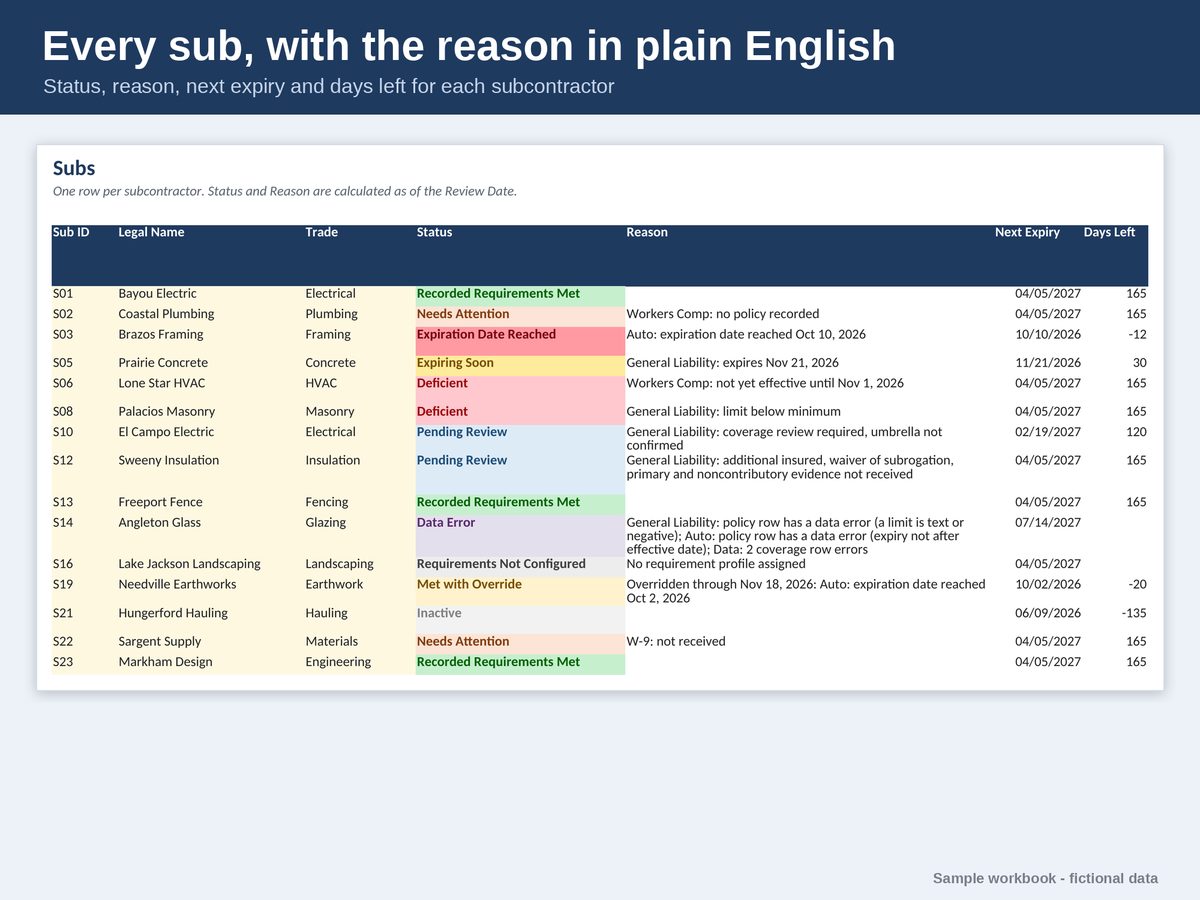
- One Status per sub, with the reason in plain English, for example “Workers Comp: no policy recorded”.
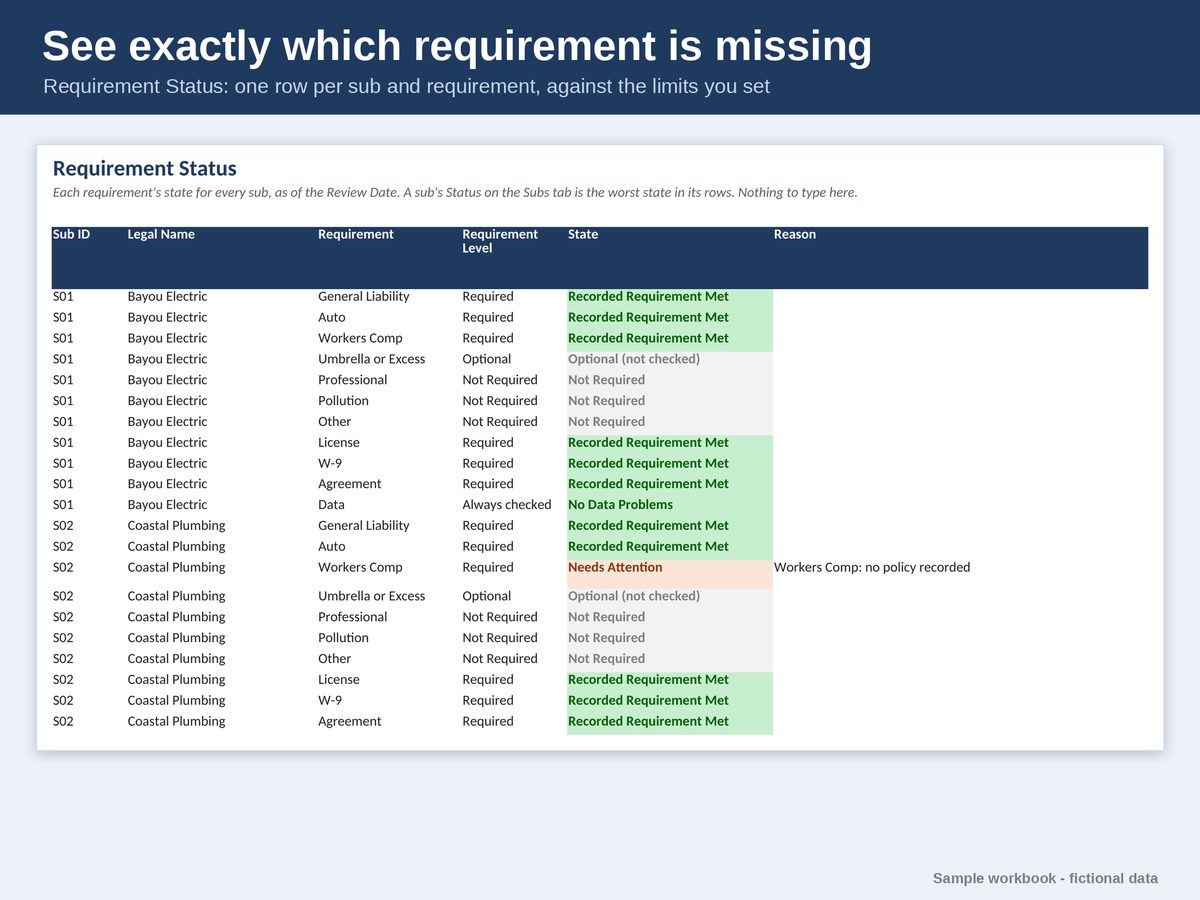
- Checks general liability, auto, workers comp, umbrella, professional and pollution coverage against the limits and endorsements you set for each kind of sub.
- Tracks W-9s, signed subcontract agreements and licenses, with renewals kept as history.
- A Dashboard with a worst-first review queue, a chase list of what to request, and policy and license watchlists.
- Temporary Overrides with a reason, approver and end date, for when a renewal is on its way.
- A Review Date override to see every status as of a future date, such as the start of a job.
What you get
- An Excel workbook filled for a fictional general contractor with 15 subs showing every status, and a BLANK copy with five starter profiles.
- A Google Sheets edition: a PDF with Make my copy links that save your own private copy to Google Drive.
- Eight tabs: Start Here, Dashboard, Subs, Requirement Status, Licenses, Coverage, Requirements and Overrides.
- Holds 15 subs, 75 policies, 30 licenses and 12 requirement profiles.
What it needs
Excel 2019 or later, or Microsoft 365, on Windows or Mac; free Excel for the web; or Google Sheets with a free Google account. Excel 2016 or earlier shows #NAME? errors. No macros.
Before you buy
A recordkeeping tool. It checks what you record against the requirements you set; it doesn’t verify insurance, give legal or insurance advice, or decide who may work or be paid. Confirm your requirements with your insurance agent and attorney.
Read the user guide to see every step before you buy. It’s the same guide that comes with the files. Questions? Message the shop on Etsy, or email support@poshjoshllc.com.