Change Order Log
For contractors who agree to extra work on the job site and forget to bill for it. Log each change order the day it comes up, print a one-page form for your client to sign, and keep every job’s revised contract total and completion date current.
Excel and Google Sheets · Instant download from Etsy · No macros, no subscription
What it does
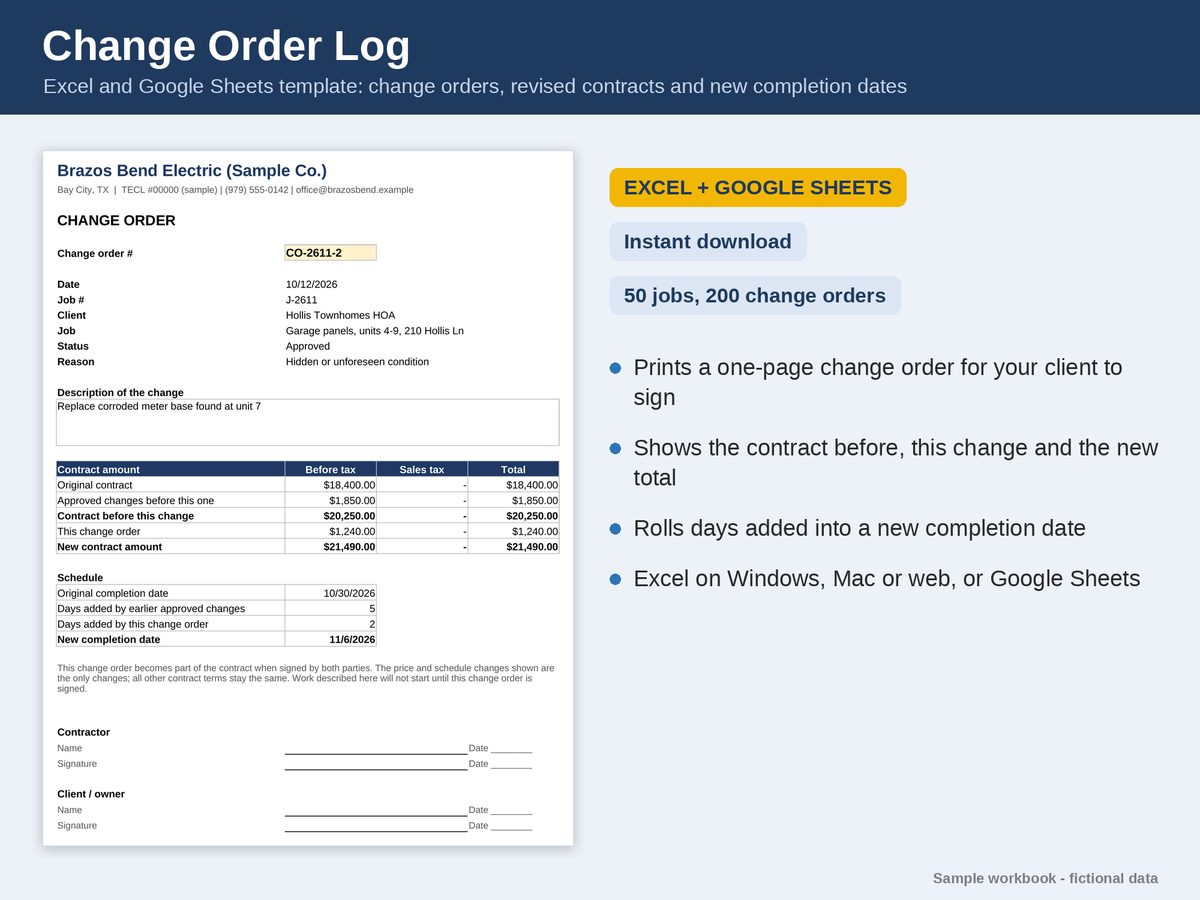
- A one-page Change Order Form for your client to sign: the contract before this change, this change, the new contract amount and the new completion date.
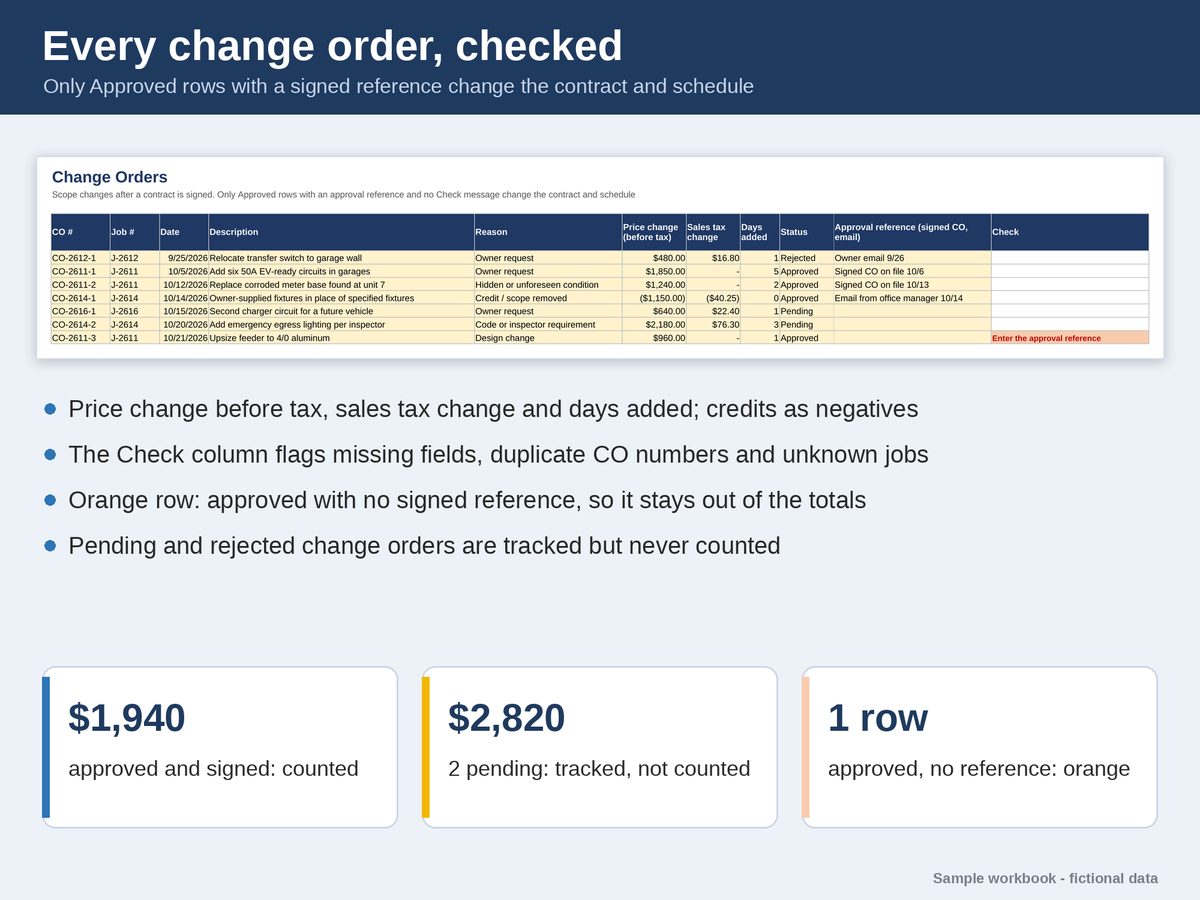
- Only approved change orders with an approval reference (a signed form or an email) change the contract. A verbal OK never does.
- The Jobs tab keeps each job’s revised contract total, sales tax and completion date up to date.
- Credits as negative change orders, and days added or taken off the schedule.
- A Check column flags missing fields, duplicate numbers and unknown jobs before they reach your totals.
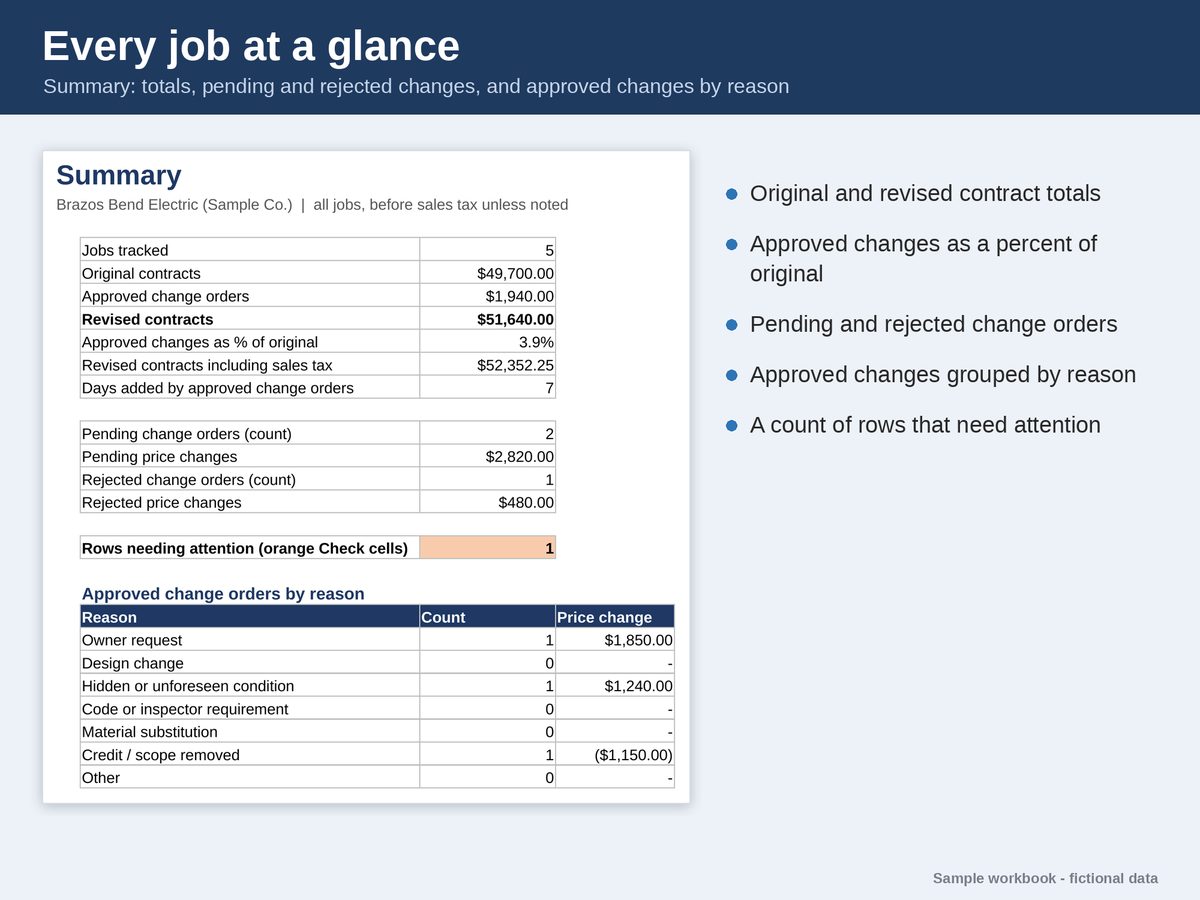
- A Summary of every job: original and revised contracts, pending and rejected change orders, and approved changes by reason.
What you get
- An Excel workbook filled with a fictional electrical contractor, so you can see it working, and a BLANK copy for your business.
- A Google Sheets edition: a PDF with Make my copy links that save your own private copy to Google Drive.
- Six tabs: Start Here, Summary, Jobs, Change Orders, Change Order Form and Settings.
- Holds 50 jobs and 200 change orders per file.
What it needs
Excel 2019 or newer, or Microsoft 365, on Windows or Mac; free Excel for the web; or Google Sheets with a free Google account. No macros.
Before you buy
A recordkeeping tool, not legal advice. Your contract and your state’s law decide what a valid change order needs. You enter the sales tax on each change; the workbook adds up what you enter.
Read the user guide to see every step before you buy. It’s the same guide that comes with the files. Questions? Message the shop on Etsy, or email support@poshjoshllc.com.